Configuring the Camera to Communicate with the Robot
Configuring Camera using UR cap
The VIM-303 camera needs to be able to communicate with the robot over Ethernet in order to control it. Follow these steps to configure the camera to talk to the robot.
-
From the VIM-303 tab in the UR Caps menu on the Installation tab, choose the Advanced tab in order to configure the camera’s settings to communicate with the robot. Because the VIM-303 camera has a considerable amount of programmability, the settings are divided into modules (categories). Choose the ROBOT settings module (Figure 12).
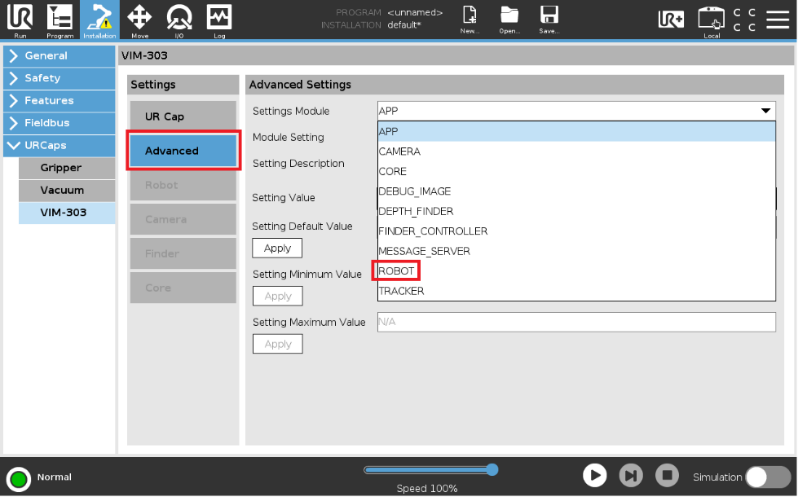
Figure 12: Select Robot settings module
-
Select the IP setting (Figure 13) and set the value to the IP address of the robot (Figure 14).
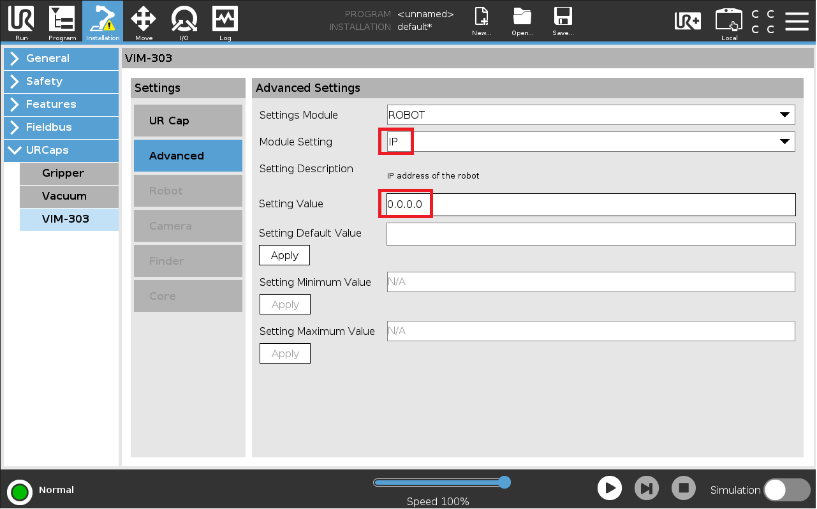
Figure 13: IP setting in ROBOT module
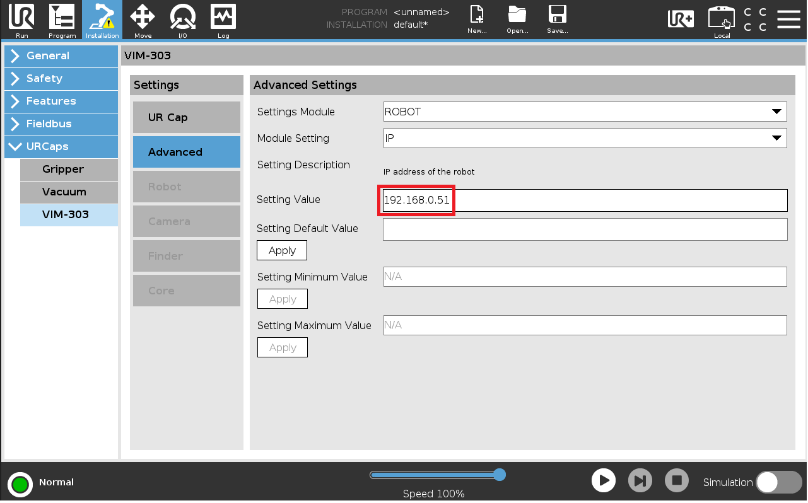
Figure 14: Successful setting of robot's IP address
-
The VIM-303 camera controls the robot by running a program called the Command Processor. When using the web interface QuickPick, the command processor is automatically loaded into the robot. When using the UR Cap, this feature must be disabled, as the UR Cap runs the Command Processor when a PolyScope program is started. Select the LOAD_UR_CMD_PROC setting and set it to False (Figure 15).
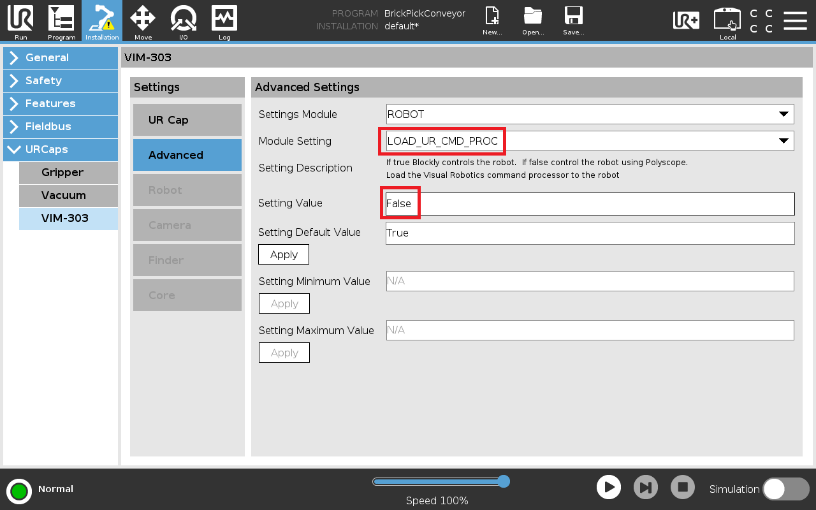
Figure 15: Disable automatic loading of command processor