First Picks With VIM-303
For Firmware Release v2.8.2
This manual covers how to create your first pick and place task with VIM-303. Other relevant manuals include:
- Unboxing and Hardware Assembly Manual
- QuickPick User Interface Manual
- Blockly Programming Manual
- Settings Manual
Assumptions
It is assumed that the camera and gripper have been attached to the robot, and the robot and camera have both been set up (network address assignment, gripper configuration). See the Unboxing and Hardware Assembly manual to get your robotic workcell ready for this sample program. Make sure the compressor is filled with air. This manual describes the use of the QuickPick web interface to program the camera using Blockly. The VIM-303 also supports other interfaces such as a UR Cap for Universal Robots enabling native PolyScope programming. It is advised to follow this manual first and then install the Cap.
VIM-303 Robotic Workcell Setup
This manual demonstrates the ease of use of VIM-303 for performing visual pick and place operations. The test setup used in this manual (Figure 1) is a Universal Robots UR5 robot arm with a VIM-303 camera and Visual Robotics Suction Gripper end effector. The object to be picked is the VIM-303 camera box, sitting on a table. The table is about 450mm from the camera.
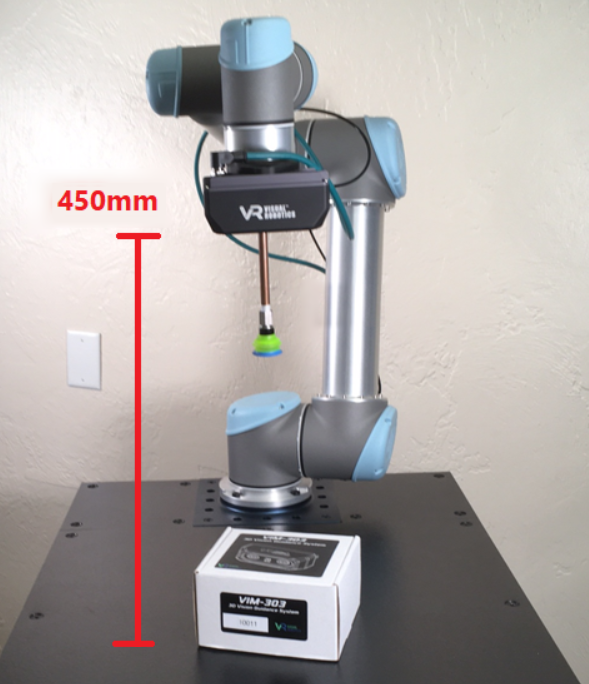
Figure 1: Test Setup
Easy as 1, 2, 3
There are only three steps necessary to create a Task (program) with VIM-303:
- Define Objects
- Define Waypoints
- Create Blockly program